Starting…
Recline
Movies, shows and live TV. One recline away.
Recline brings the streaming addons and TV subscriptions you already use into one calm place, with your progress, your profiles and your watchlist on every screen.
globe Anywhere you can open a web browser. Phone, tablet, laptop, desktop. Nothing to install.
tv On your TV too. The Recline app for Android TV, Google TV and Fire TV, or the browser on Samsung and LG TVs. ?
logo_apple iPhone, iPad and Apple TV apps. Coming to the App Store; try them now. Join the beta
Sign in
Sign in with the passkey on this device, your phone, or a security key.
No passkey on this device?
New here?
Delete your account
Checking this link…
This is the last step, and it can't be undone. Its profiles, favorites, watch history, sources, devices and passkeys are erased for good.
Sign in to Recline
Continue to sign in on this device. This link works once.
Sign in on this TV
On your phone or computer, open Recline, go to Settings → Sign in a TV, and enter this code:
······
Getting a code…
This browser doesn't support passkeys. Try a recent version of Chrome, Safari, Edge or Firefox.
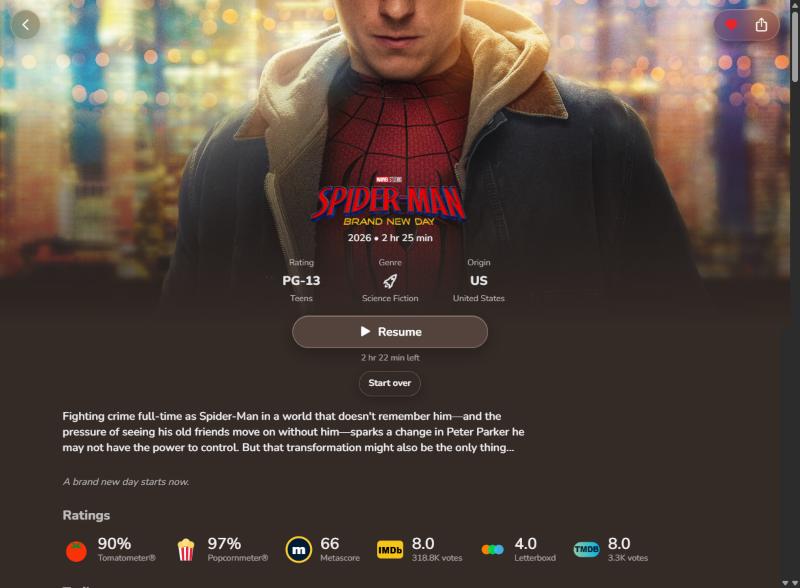
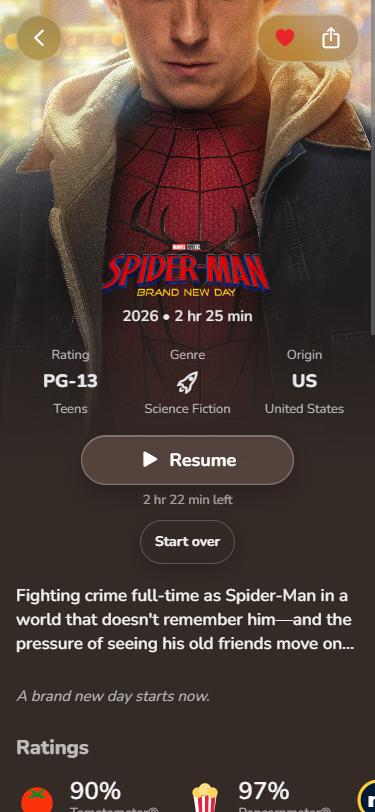
What Recline does
- rectangle_stack
Everything in one library
Your add-ons and the IPTV subscription you already pay for, browsed together. One title, every copy you can play.
- clock
Right where you left off
Continue watching follows you from your phone to the TV, to the second. Connect Trakt and your history stays in sync.
- person_2
A profile for everyone
Each person at home gets their own favorites, progress and suggestions.
- sparkles
Suggestions that fit you
"Because you watched…" rows, built from what each profile actually finishes.
- captions_bubble
Subtitles and audio, your way
Subtitles in your language, matched to the copy you're watching. Switch audio tracks when a file has several.
- globe
Anywhere there's a browser
Open reclinetv.com on your phone, tablet or computer, at home or away, and your library is there. On Android TV, Google TV and Fire TV, use the Recline app.
How joining works
Create your account
Your name and email. It's free, and takes under a minute.
Create your passkey
Face ID, Touch ID or Windows Hello. There's no password to remember.
Add what you watch
Connect your own addons and subscriptions, or join a family member's account as another device.
Questions
What is Recline?
A player for what you already have access to. Recline brings your Jellyfin media server, playlists, add-ons and IPTV subscriptions into one library, with posters, details, ratings and trailers, and remembers where you left off on every screen. It also comes with Free TV: free, official channels you can watch right away. Free TV comes from the Free-TV project's public list (github.com/Free-TV/IPTV) of channels that broadcasters stream themselves for free; Recline doesn't host or sell them.
Does Recline host movies or shows?
No. Recline doesn't host, sell or share any video. It organizes the services and subscriptions you already have, and plays what they provide.
How do I get an account?
Tap Create your free account, enter your name and email, and create a passkey. It takes under a minute. If someone who uses Recline sent you an invite link, that works too.
Does it cost anything?
No, Recline is free. You bring your own sources, like your Jellyfin server, a playlist or an addon, or start with the free channels in Free TV. If a source you add is a paid service, you pay that service directly.
What do I need to start watching?
At least one source, added in Settings → Sources. The quickest is Free TV: free, official news and public channels from around the world, in one tap. You can also connect your own Jellyfin media server, an M3U playlist, an add-on's manifest link, or the login for an IPTV (Xtream) subscription. Or join a family member's account as another device and use theirs.
What's a passkey? Is it safe?
A passkey replaces a password. You sign in with Face ID, Touch ID, Windows Hello or your phone's lock, and the secret part never leaves your device, so there's nothing to steal or forget.
Can my family use it?
Yes. One account can have a profile for each person, each with their own favorites, progress and suggestions. Add their phones and computers with Settings → Add another device. Anyone who'd rather have their own separate account can get an invite.
Can I watch on my TV?
On Android TV, Google TV and Fire TV, install the Recline app with the free Downloader app (by AFTVnews):
- Fire TV (Fire TV Stick, Cube or a Fire TV Edition TV): install Downloader from the Appstore. Then go to Settings → My Fire TV → Developer options → Install unknown apps and turn on Downloader. No Developer options? Open Settings → My Fire TV → About and press OK on your device's name 7 times.
- Android TV and Google TV (onn, Chromecast with Google TV, Nvidia Shield, Sony, TCL, Hisense): install Downloader from the Play Store, and allow it to install apps when it asks.
- Open Downloader, enter reclinetv.com/tv, and install. Recline updates itself after that.
Samsung and LG TVs: open reclinetv.com in the TV's own browser (Internet on Samsung, Web Browser on LG). It shows a code to sign in with from your phone, and works with the remote. TV browsers can't play every video format, so for the best picture and sound a streaming box with the Recline app is worth it.
TV boxes that work well with Recline:
onn (Google TV)
- onn 4K Streaming Box: 4K, the best value
- onn Full HD Streaming Stick: for 1080p TVs, the lowest price
Amazon (Fire TV)
- Fire TV Stick HD: for 1080p TVs, the lowest-priced Fire TV
- Fire TV Stick 4K Plus: 4K, Wi-Fi 6
- Fire TV Cube: the fastest Fire TV, Wi-Fi 6E
These are Amazon links: as an Amazon Associate, Recline earns from qualifying purchases, at no extra cost to you.
Can I install Recline like an app?
Yes. Recline installs straight from the browser, with its own icon, full screen and no app store:
- iPhone and iPad: open reclinetv.com in Safari, tap the Share button, then Add to Home Screen.
- Android: open it in Chrome, tap the ⋮ menu, then Add to Home screen (or Install app).
- Windows, Mac or Chromebook (Chrome or Edge): click the install icon at the right of the address bar, or open the ⋮ menu and choose Install Recline (in Chrome it may be under Cast, save and share).
- Mac with Safari: choose File → Add to Dock.
- Android TV, Google TV and Fire TV: use the Recline TV app (see above).
Native Recline apps for iPhone, iPad and Apple TV are coming soon to the App Store. Try them now: install Apple's free TestFlight app, then open the Recline beta.
Will it remember where I stopped?
Yes. Continue watching follows your profile from one device to another, to the second. Connect Trakt in Settings and your watch history stays in sync with it too.
Why does a video sometimes open on play.reclinetv.com?
Some IPTV providers only send video over plain http, which secure pages aren't allowed to play. Recline plays those on its own player page, play.reclinetv.com. When you're done, close it to come back.
tv On Android TV, Google TV or Fire TV? Install the app with Downloader: reclinetv.com/tv
logo_apple Recline for iPhone, iPad and Apple TV: coming soon to the App Store. Join the beta on TestFlight
Recline doesn't host, sell or share movies or shows. It organizes the services and subscriptions you already have access to.
Recline is a player: it hosts no content and comes with no sources. Terms · Privacy · Copyright
 This product uses the TMDB API but is not endorsed or certified by TMDB.